
It’s late on Friday. You’ve got a product launch on Monday and the sales team needs updated product training. But (surprise!) the authoring tool in your enterprise learning management system is moving like molasses. And that's not all... Your VP suddenly decides she needs to see a “quick” dashboard that ties learning to revenue but all you’ve got is a PDF of course completion data.
What do you do when your LMS system says NO?
No to quick updates.
No to automated enrollment.
No to scaling without a week of CSV uploads.
You can’t say no to your CEO. Every no taxes your time and your budget. (Not to mention, spikes your blood pressure and dips your credibility.)
But what if your enterprise learning management system delivered flexibility with teeth? Beyond a feature list, we’re thinking of your must-haves as more of a framework. Bonus, it’s something you’ll remember when your CFO asks why you’re still paying for a system that slows you down. This is the moment you graduate from a starter tool to LMS scalability. Automation and governance that grow with the org, not push against it.
Meet the FLEXI LMS framework: The critical pillars of an LMS
FLEXI. Okay, we totally created this acronym. (Because sometimes a memorable acronym is exactly what’s needed and this writer enjoys them.) But we didn’t create the pain points it solves. Those are very, very real.
FLEXI refers to the five non-negotiable pillars of a flexible LMS that are must-haves. They’ll bend with your business instead of breaking your roadmap. This framework is the difference between an LMS that behaves like a bottleneck instead of the growth engine you need.
F — Foundations (architectural flexibility): multi-tenant LMS architecture and sub-portals that let you manage employees, partners, and customers from one hub—without the Frankenstein stack.
L — Leverage (operational flexibility): smart administration and automated enrollment rules that kill manual work and compliance headaches.
E — Ecosystem (integration flexibility): RESTful APIs and LMS integrations that make your platform play nice with Salesforce, Workday, and beyond.
X — eXperience (content flexibility): agile authoring tools and AI-powered LMS features so your training keeps pace with product launches.
I — Intelligence (data flexibility): LMS reporting and analytics that connect learning to KPIs—because “course completions” aren’t a strategy.
Out with the fragile, in with the flexible! Your LMS should be able to author the training tools fast, hand your boss that beautiful, robust dashboard, and lots and lots more.
The 5 non-negotiables of a truly flexible LMS
Marketing polish vs operational reality...
With all the jargon and feature buffets, let's do a quick reset: What you need is a solid framework to stack your LMS against. FLEXI, the five critical pillars, will separate a flexible LMS from a fragile one.
Use this FLEXI framework to do a quick vendor‑check and spot the difference between marketing polish and operational reality.
F — Foundations: Architectural flexibility (multi-tenancy and sub-portals)
If you’re saying to yourself: “I need to manage five different brands and three external partner groups from one central hub without buying multiple systems.”
What you need: One brain, many “worlds.” A flexible LMS gives you multi‑tenant LMS architecture with sub‑portals, each with its own unique URL, branding, login, and permissions—so when you’re training employees, training external partners, and training customers, they all get distinct experiences from a single platform. Spin up revenue-generating customer training programs without adding another platform.
Absorb's edge: Competitors often force separate instances (double the cost, double the chaos). Absorb lets you spin up sub‑portals, delegate local admin to a region or brand, and still keep Global Admin visibility across the entire organization.
Be laser focused on: Consolidation and control. Retire the Frankenstein stack and run everything from one hub.
Pro tip: If standing up a branded partner portal takes months or professional services, you’re not scaling, you’re stalling.
L — Leverage: Operational flexibility (Smart admin and automation)
If this is your reality: My L&D team is drowning in manual work—enrollments, de‑provisioning, and compliance chasing are eating our entire week.
What you need: An LMS that does the admin work. Look for smart administration, dynamic user groups, automated enrollment rules, if/then logic, automated re-certification, granular role-based permissions, and fully customizable notification rules—content, timing, triggers, and audience.
Absorb's edge: Absorb's Smart Administration supports genuine "set-and-forget" workflows. Change a role in your HRIS and Absorb auto-updates groups, assigns new training, and revokes old access—no spreadsheets, no calendar reminders. Granular custom roles mean you can mirror your actual org structure, giving regional managers, HR, and site leads exactly the access and data visibility they need, without bringing in IT every time something changes. And where most LMS platforms send generic system notifications, Absorb lets you control the full communication layer: custom email templates, audience-specific messaging, and automated reminders and escalations that feel relevant rather than robotic. Generic pings don’t drive completions but communication that matches your tone and hits at the right moments will.
Be laser focused on: Efficiency, security, and scalability. Grow your learning program without growing your headcount or your risk surface.
Pro tip: If you need a calendar alert to reassign certifications—or a ticket to IT to update a manager's access—that's not automation. That's coping.
E — Ecosystem: Integration flexibility (Open integrations and API)
If you’re thinking: “We need an LMS that talks to Salesforce and Workday in real time, not through a weekly CSV.”
What you need: Real‑time, bi‑directional data—no “data island” caveats. Expect a RESTful API, webhooks, and turnkey LMS integrations for Salesforce, Workday, Teams, Slack, Zoom, ADP, and more.
Absorb’s edge: Absorb isn’t a walled garden. With Open API + Webhooks, certification events in Absorb can instantly trigger badges, permissions, or workflows via Salesforce LMS integration or update HRIS records—so learning signals show up where the business really runs.
Be laser focused on: Interoperability. Your LMS should plug into the stack you already own and amplify it.
Pro tip: If revenue leaders can’t see certifications inside the CRM, your learning program is invisible where it matters most.
X— eXperience: Content flexibility (Agile authoring and AI speed)
If you’re thinking: Our business moves faster than our content. By the time a course launches, the product has already changed...and everyone gets the same linear path regardless of their role.
You need: Authoring inside the LMS, plus the ability to build intelligent, personalized learning journeys without a developer. Look for built-in authoring with AI-powered workflows, SCORM/xAPI/AICC support, PowerPoint-to-HTML5 conversion, conditional logic and branching paths, role-based and competency-based curricula, and a mobile experience that's native (not a stripped-down afterthought).
Absorb's edge: With Absorb Create, you don't need a separate authoring license to build interactive courses. AI-powered workflows generate outlines, assessments, and updates in minutes so training ships with the product, not after it. Beyond speed, Absorb lets you design learning paths with real logic — prerequisites, branching, and role- or goal-based sequencing — so a new technician and a senior manager never see the same journey. And with Absorb's mobile app, that experience is fully branded and consistent across devices, with offline access for learners who aren't always connected.
Be laser focused on: Agility, personalization, and reach. Move from content storage to content creation — and from one-size-fits-all to right-fit-for-everyone.
Pro tip: If your team defaults to PowerPoint, your LMS is taxing speed to skill. And if every learner follows the same path regardless of role, that's not learning, that’s a lineup.
I — Intelligence and data flexibility (UX and business intel)
If this is what you’re hearing: Learners say the system is clunky, my VP says the reports don't show business impact, and we can't even track the data points that actually matter to our business.
What you need: A brandable learner experience you can configure, analytics that tie learning to KPI movement, and a data model you can extend without calling a developer. Think drag-and-drop UX control, custom user fields and course metadata, ad-hoc reporting, and BI connectors that correlate training with outcomes — time-to-productivity, attach rate, NPS, renewal risk.
This really means you need: A brandable learner experience you can configure + analytics that tie learning to KPI movement. Think learning and analytics, ad‑hoc reporting, and BI connectors that correlate training with outcomes (time‑to‑productivity, attach rate, NPS, renewal risk).
Absorb's edge: The Mercury Module gives you drag-and-drop control over the learner UI — no code. Custom fields let you capture the data points unique to your business (department structures, certification types, regional attributes) without custom development, so your reports reflect reality. On the back end, Absorb BI moves beyond "completion %" to impact visualizations you can take to the board, with direct connectors to Power BI and other enterprise tools so learning data flows into the same dashboards leadership already uses.
Be laser focused on: Engagement, accuracy, and ROI. Flexible experience drives usage, flexible data capture drives relevance, and flexible analytics drive value.
Pro tip: "Course completions" describe the past. Budget decisions are about the future — so show the delta on real KPIs. Don’t report on activity. Report on impact.
Comparison: Rigid vs flexible LMS
Feature | Rigid LMS | Flexible LMS |
|---|---|---|
Architecture | One-size-fits-all portal: Partners can see employee-only content and vice versa | Multi-tenant sub-portals with unique branding: Custom “worlds” for employees, partners, and customers with unique branding |
Administration | Manual and linear: Admins spend hours manually enrolling users or uploading CSV files | Smart automation with dynamic rules: AI-powered rules automate enrolment based on job title, location, or department |
Integrations | Data islands: Clunky connections, data is siloed from your CRM and HRIS | Open ecosystem: Bi-directional sync with Salesforce, Workday, and more via RESTful API, real-time webhooks |
Content | Passive storage: A place to host SCORM files without a quick way to update | AI-powered authoring built-in: Active creation builds and updates training at the speed of business |
UX and reporting | Static UI, static dashboards, static reports: Fixed, clunky reports and basic exports that say what happened but not why | Customizable UI + BI insights: Deep data visualization correlates training and business KPIs |
Personalization and control | Rigid, one-size-fits-all delivery: Generic paths and notifications, no mobile branding, limited meaningful data points | Tailored at every level: Role-based learning paths, audience-specific notifications, branded mobile experience, custom data fields, and granular permissions |
FLEXI in action: Absorb LMS case studies
Check out the Absorb LMS case study for IPS
Enterprise-scale flexibility, rapid onboarding, customizable learning paths, HR integration
When energy services company IPS made 11 acquisitions in a single year (nearly tripling its workforce) it needed an LMS that could scale fast. With Absorb, it automated HR data syncing via ADP, built role-based learning paths across 90+ locations, and pushed course completion rates from 60% to 90%.
See how IPS scaled onboarding across 90 locations and moved to a 90% course completion after 11 acquisitions
Check out the Absorb LMS case study for Rakuten
Global delivery, integration, personalized learning paths
With 30,000+ employees across 45 countries and 70+ business units, Rakuten needed an LMS that could flex to genuinely global complexity. Using Absorb's Workday integration, custom Analyze dashboards, and region-specific learning paths, its Optimism University grew training reach from 24 to 41 countries.
See how Rakuten unified global L&D across 70+ business units
The hidden costs of rigidity
Cheap software is expensive. Every “no” from your LMS comes with a price tag you didn’t budget for. Here’s what rigidity really costs and how a flexible LMS changes the math.
Shadow labor
This is your L&D manager spending Monday buried in spreadsheets instead of building strategy.
The cost: Admins spend 20% of their time on manual workarounds—CSV uploads, compliance chases, enrollment fixes. That’s not “cost-effective at all. What it is, is paying skilled people to do robotic tasks your LMS should automate.
What you want: Smart administration and automated enrollment rules eliminate manual drudgery. When a job code changes in your HRIS, you should have training updates instantly—no spreadsheets required.
Multi-platform bloat
Every new brand means another LMS license. Suddenly, your ‘cheap’ system costs triple.
The cost: When your LMS can’t handle complexity, you buy another one. And another. Suddenly you’re paying for multiple licenses, multiple implementations, and multiple support contracts.
What you want: Multi-tenant architecture and sub-portals let you manage employees, partners, and customers from one hub—without the Frankenstein stack.
Time-to-profit
A two-week delay in compliance training? That’s two weeks of lost revenue.
The cost: Delayed launches mean delayed revenue. If your LMS can’t pivot fast enough for a product rollout or compliance update, the opportunity cost hits your bottom line harder than any license fee.
What you want: Built-in authoring tools and AI-powered content creation keep training in lockstep with business speed—so your LMS never slows a launch. A flexible LMS also unlocks customer training programs that drive attach rate and renewal, not just internal enablement.
Engagement churn
Learners ghost your LMS because the UI feels like 2010. Your $50K content investment? Gone.
The cost: Poor UX burns your training budget. You can spend $50,000 on premium content, but if learners can’t find it—or hate the interface—you’ve set that money on fire.
What you want: Mobile learning app access, customizable dashboards and AI-driven search make learning intuitive, so engagement doesn’t die in a clunky interface.
Compliance risk
One missed manual trigger = a six-figure fine. Or worse, a safety incident.
The cost: Manual triggers equal human error. In regulated industries, that’s not just a mistake—it’s a six-figure fine or a safety incident.
What you want: Automated compliance workflows and dynamic rules keep certifications current without relying on human memory.
Reality check: Rigid systems don’t just annoy admins, they slow your business.
LMS flexibility from the front lines
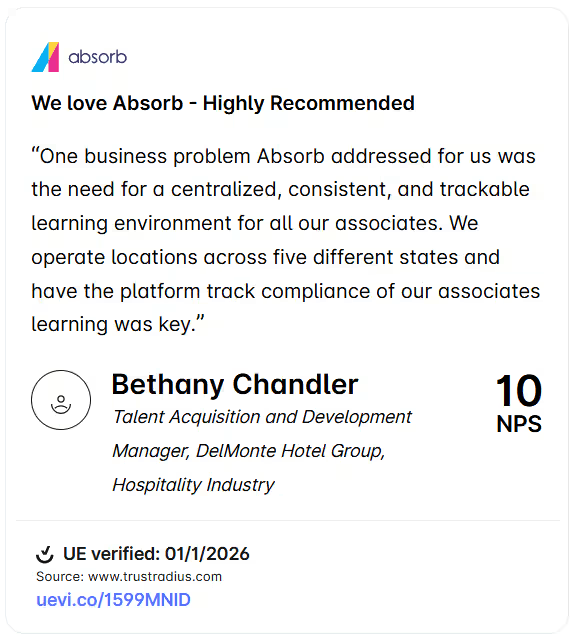
Checklist: 10 questions to test LMS flexibility
- Can we manage multiple audiences via distinct sub-portals from a single login?
- Does the platform support bi-directional data flow via an open API?
- Can we automate enrollments based on any custom field in my HRIS?
- Is there a native authoring tool included?
- How much of the learner experience can we change ourselves without paying for “professional services”?
- Can we connect to our existing BI tools, and can we capture the custom data fields we need to make those reports meaningful?
- Can we build role-based, competency-based, or goal-based learning paths with conditional logic and branching and can a non-technical L&D team member configure these without developer support?
- Can we define custom roles that match our actual org structure (including hierarchical access and data visibility rules) without IT involvement every time something changes?
- Can we customize notification content, timing, and triggers for different audiences?
- Does the mobile app support offline access, and does it feel like a natural extension of the web platform?
How Absorb LMS solves the flexibility gap
When you're considering LMS for enterprise, Absorb delivers on every FLEXI pillar:
- Smart administration: Set-and-forget workflows.
- Absorb create: Build content inside the platform at AI speed.
- Mercury module: Customize learner dashboards without coding.
- BI connectors: Tie training data to business KPIs.
So much more than a feature list, your list of enterprise LMS must-haves is more like a framework that will support your growth at scale.
FAQs
Q: What is a multi-tenant LMS and why does it matter?
A multi-tenant LMS (like Absorb) allows you to create "sub-portals." This is vital for enterprises that need to provide a unique training experience for different audiences—like employees, franchises, and customers—all from one central management hub.
Q: Can a flexible LMS integrate with my existing CRM?
Yes. A truly flexible platform offers a RESTful API and pre-built connectors (like the Absorb Salesforce integration). This allows training data to trigger actions in your CRM, such as awarding badges or updating sales permissions.
Q: How do I automate user enrollment in an LMS?
Flexibility in an LMS means having "Smart Administration" features. You can set rules based on department, geography, or job title so that the system automatically enrolls users in the right courses without manual intervention.
Q: Is it possible to white-label the learner experience?
Absolutely. Modern flexible LMS platforms allow for deep "white-labeling," where you can customize logos, color palettes, and even the layout of the dashboard to ensure the platform feels like a native part of your brand.